How to manage your US mail when moving abroad
Published
Moving abroad doesn’t stop letters arriving at your old US address. Before you leave, arrange somewhere to receive them and a reliable way to read anything important.
For many expats, a virtual mailbox is a practical choice: it gives you a US mailing address and online access to incoming mail. But setting up the account is only part of the job. You also need to update senders, complete identification requirements and decide what to do with original documents.
Here’s a manageable checklist for getting everything in place.
We may earn a commission if you sign up through links in this guide.
1. Work out what still arrives by post
Start with the mail you’ve received recently. Which letters matter, and which could become electronic correspondence?
Make a list of senders such as:
- Banks, credit-card companies and investment providers.
- Government agencies and organisations handling your benefits.
- Insurers, healthcare providers and pension administrators.
- Anyone connected with property, loans or other ongoing commitments.
Enable paperless correspondence where it suits you, but keep a plan for letters that still arrive.
Think about how often you need to read mail and whether you sometimes need the original. That will help you choose between online scanning, physical forwarding and an arrangement with someone you trust.
2. Choose how you’ll access your mail
A friend or relative may be happy to receive occasional letters. Agree who will open them, how they will tell you about important correspondence and what happens when they are away.
A virtual mailbox offers a more structured arrangement. Depending on the service, you can view incoming envelopes, request scans and arrange delivery of originals.
Traveling Mailbox, for example, shows envelope images online and opens letters when you request a content scan. It also offers physical forwarding, including international shipping.
If you’re unsure which approach fits, read Virtual mailbox vs PO Box vs mail forwarding.
3. Compare the plan with your likely usage
Estimate three things:
- How many letters you receive each month.
- How many you’ll want opened and scanned.
- How many pages those letters usually contain.
Ten letters with three pages each means 30 scanned pages. That distinction matters when comparing a page allowance with a service that charges per scan request.
Also check that the account covers everyone whose mail it will receive.
Our mailbox cost calculator lets you compare estimated subscription, receiving, scanning and recipient charges. Physical forwarding and other excluded services need a separate review.
Traveling Mailbox is our preferred service for remote mail access. Its plans include scanned-page allowances, which can make regular online reading easier to budget for.
Explore Traveling Mailbox’s plans, or read how virtual mailbox pricing works.
4. Complete setup before redirecting important mail
If you choose a virtual mailbox, give yourself time to complete the provider’s identification process and confirm the account is ready.
For Traveling Mailbox, USPS Form 1583 authorises the company to receive your mail. It does not redirect mail from your old address. The provider also describes remote identity-verification arrangements for customers outside the US. Follow its current instructions for your circumstances.
Use the exact address format supplied, including your mailbox number. Send a test letter and check that it appears in your account before relying on the arrangement.
See Traveling Mailbox’s identification guidance.
5. Update important senders directly
Keep a checklist and record which organisations you’ve updated. Start with correspondence where a missed letter could cause a practical problem.
Planning your updates? Use our moving-abroad address change checklist to track who to notify.
USPS forwarding can help during the transition, but its coverage depends on the mail class and service conditions. It is not a replacement for notifying important senders.
Be clear about which details you are changing. A US mailing address and your overseas residential address serve different purposes. If an organisation asks where you live or your country of residence, do not treat the mailbox address as a substitute.
Our guide to using a virtual mailbox as a permanent address explains that distinction.
For state licensing requirements, read Can you use a virtual mailbox for a driver's license?.
USPS forwarding: options and service conditions
6. Make a plan for original documents
A scan is useful for reading a letter, but sometimes you need the physical item.
Before depending on international forwarding, check destination coverage, available delivery methods and how the provider handles items you need retained. Allow for delivery time and any applicable customs requirements.
Avoid leaving those decisions until an urgent document arrives. Keep your overseas delivery details current, and request retention promptly when you need an original.
7. Build a simple checking routine
Turn on incoming-mail notifications and make checking the account part of your routine. Open correspondence promptly, save important scans and decide what should happen to the physical letters.
Protect the account with a unique password and any additional security options available. Make sure you can access the associated email account while abroad.
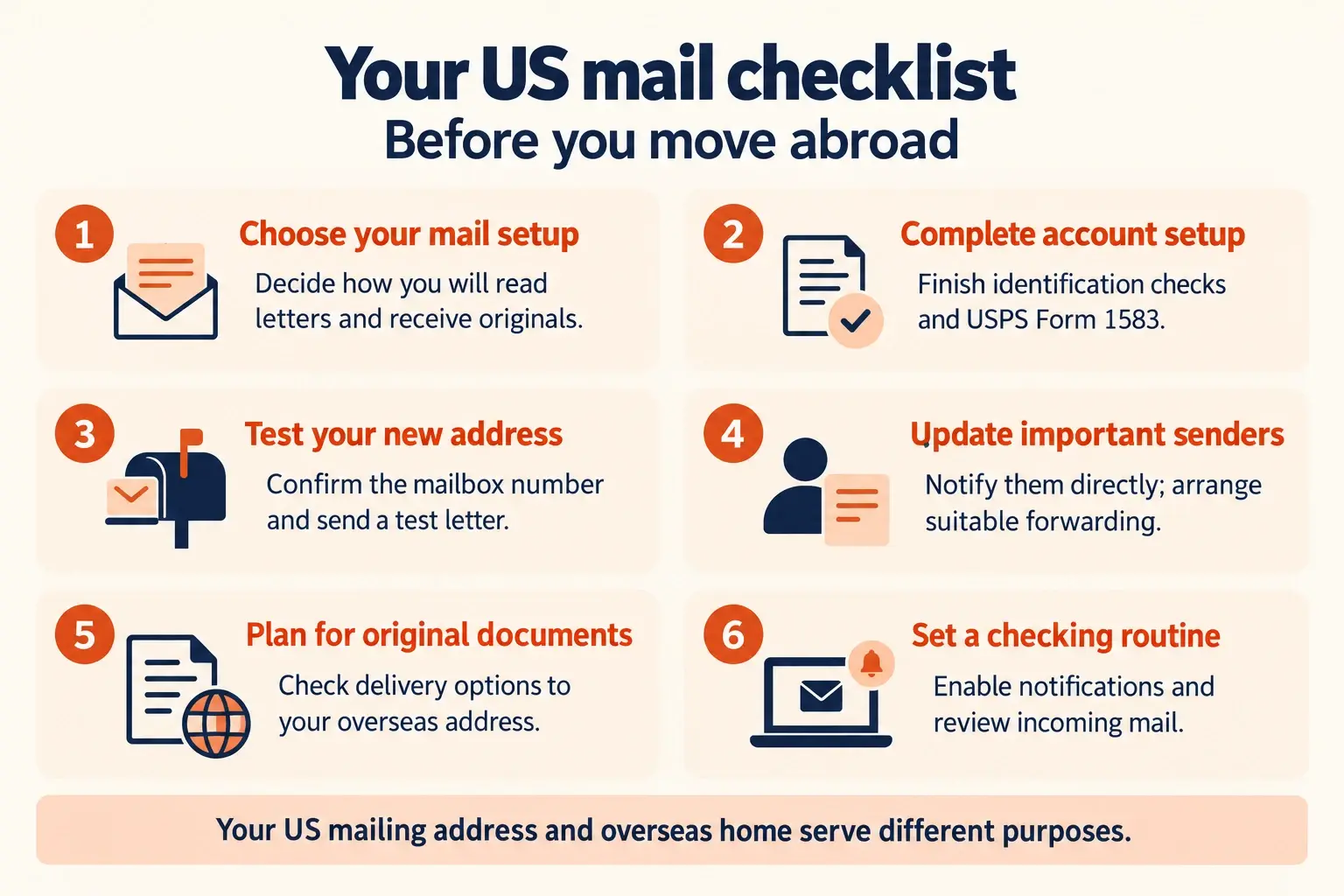
Your before-you-leave checklist
- Choose your mail-handling arrangement.
- Complete identification and account setup if using a virtual mailbox.
- Confirm the exact mailing address and test delivery.
- Update important senders.
- Arrange any appropriate transitional forwarding.
- Check how to receive original documents overseas.
- Enable notifications and establish a checking routine.
Once that is in place, you can manage correspondence without depending on regular trips back to your old address.
Compare estimated mailbox costs or explore Traveling Mailbox.
How to receive mail while travelling full-time in an RV
How to set up a virtual mailbox: a step-by-step checklist
Preparing your documents? Read USPS Form 1583: identification, verification and common mistakes.